The Frame TV
The Frame TV

Role: Product Design Lead

Samsung CX Innovation Lab, Mountain View, CA
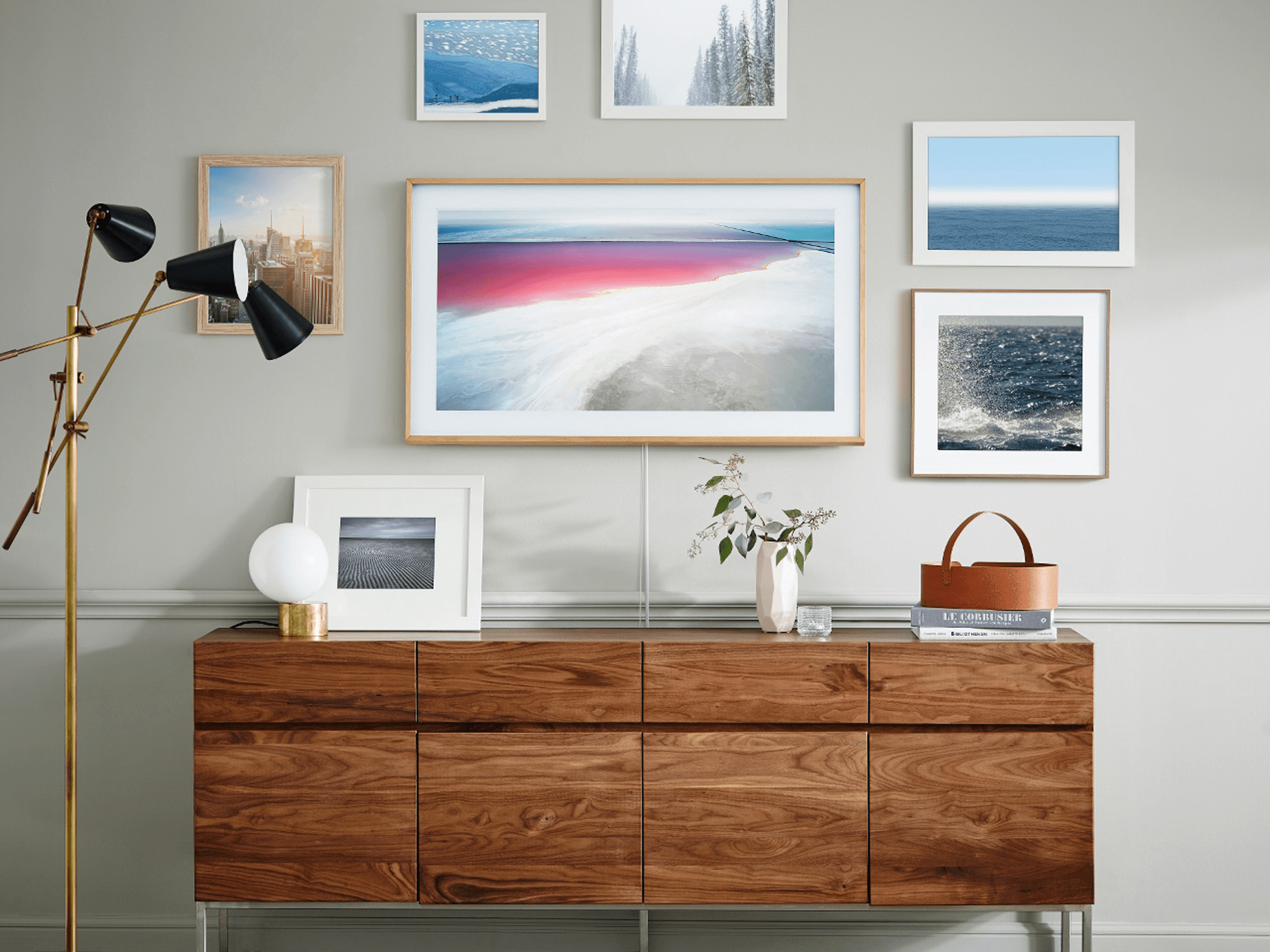
Image of a computer and keyboard on a desk

Goal:
Create a TV that blends into your environment

The idea behind The Frame TV was to create a TV that seamlessly blends into a user’s environment when turned off, transforming into a piece of art rather than a black rectangle. The experience includes an Art Store where users can discover and purchase works curated by museums and cultural partners, or upload and display their own photographs.

My Role

As Product Design Lead, I was responsible for defining the end-to-end experience of The Frame’s Art Mode, from early concept exploration and interaction models to final visual design and motion behavior. I partnered closely with industrial design, engineering, and product leadership to ensure the experience felt intentional, calm, and fundamentally different from traditional TV interfaces. I also had 2 direct reports assisting primarily with production work.

Problem:
Off = Black Square

Traditional televisions become large, black voids when not in use, visually dominating a space and breaking the atmosphere of a thoughtfully designed room. For a product intended to live in the home at all times, this created a fundamental mismatch between form and function.
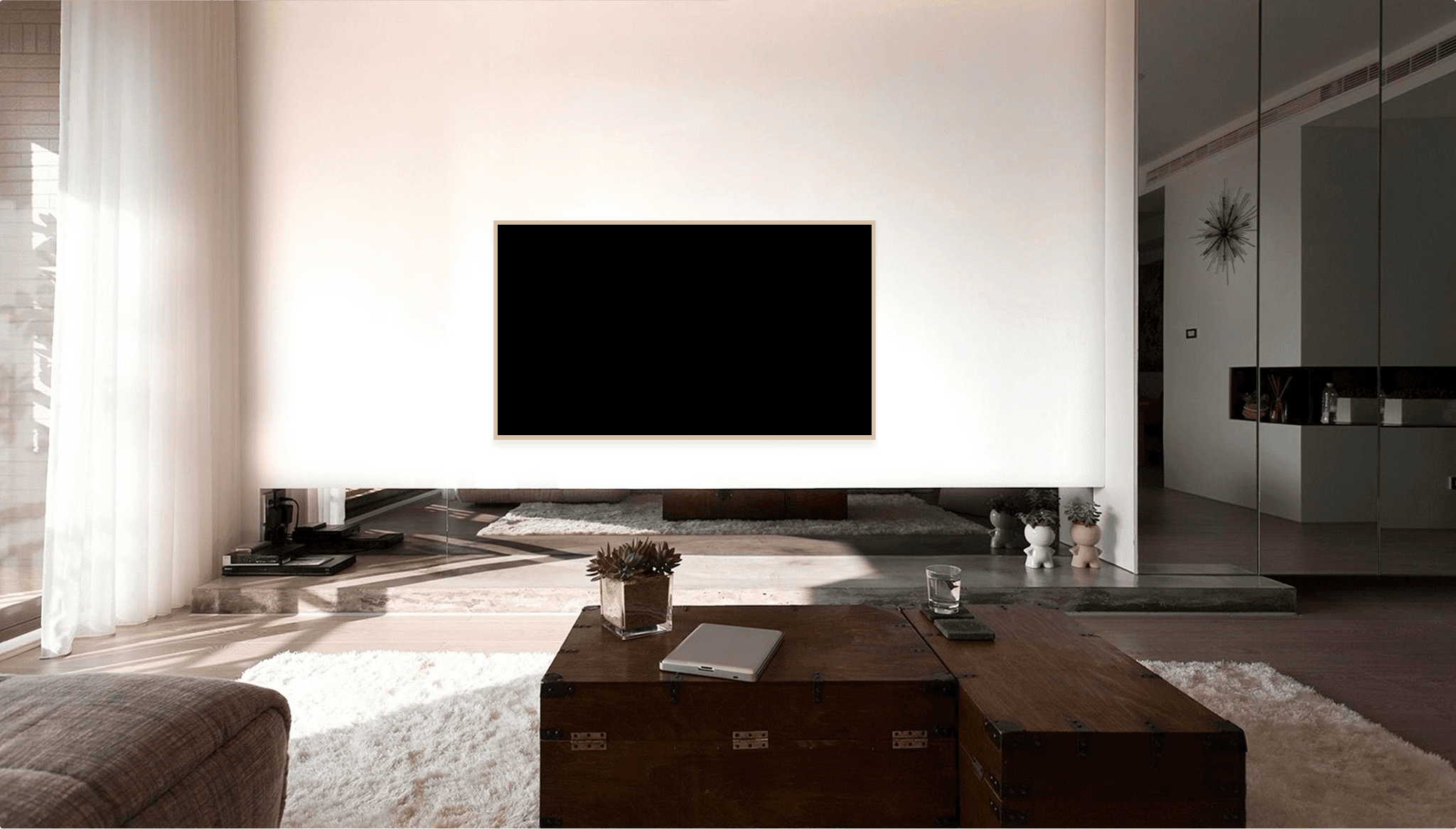
Image of people at a desk with their computers

Solution:
Off = Art

The challenge was not just aesthetic, but experiential. How do you design a screen that disappears when it’s off, yet still feels intuitive, premium, and intentional when it’s on?
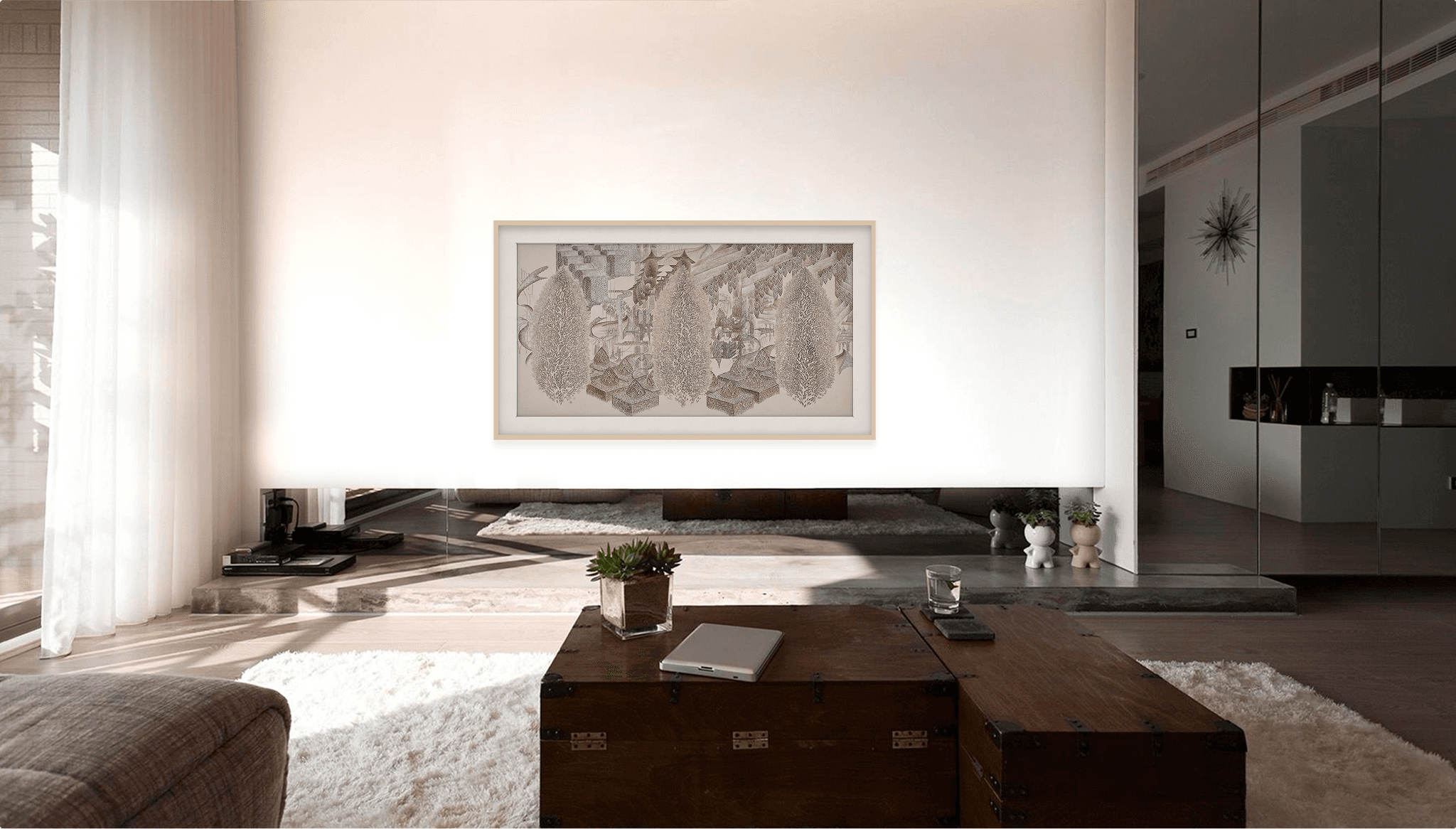
Image of people at a desk with their computers

Two Modes
One Transition

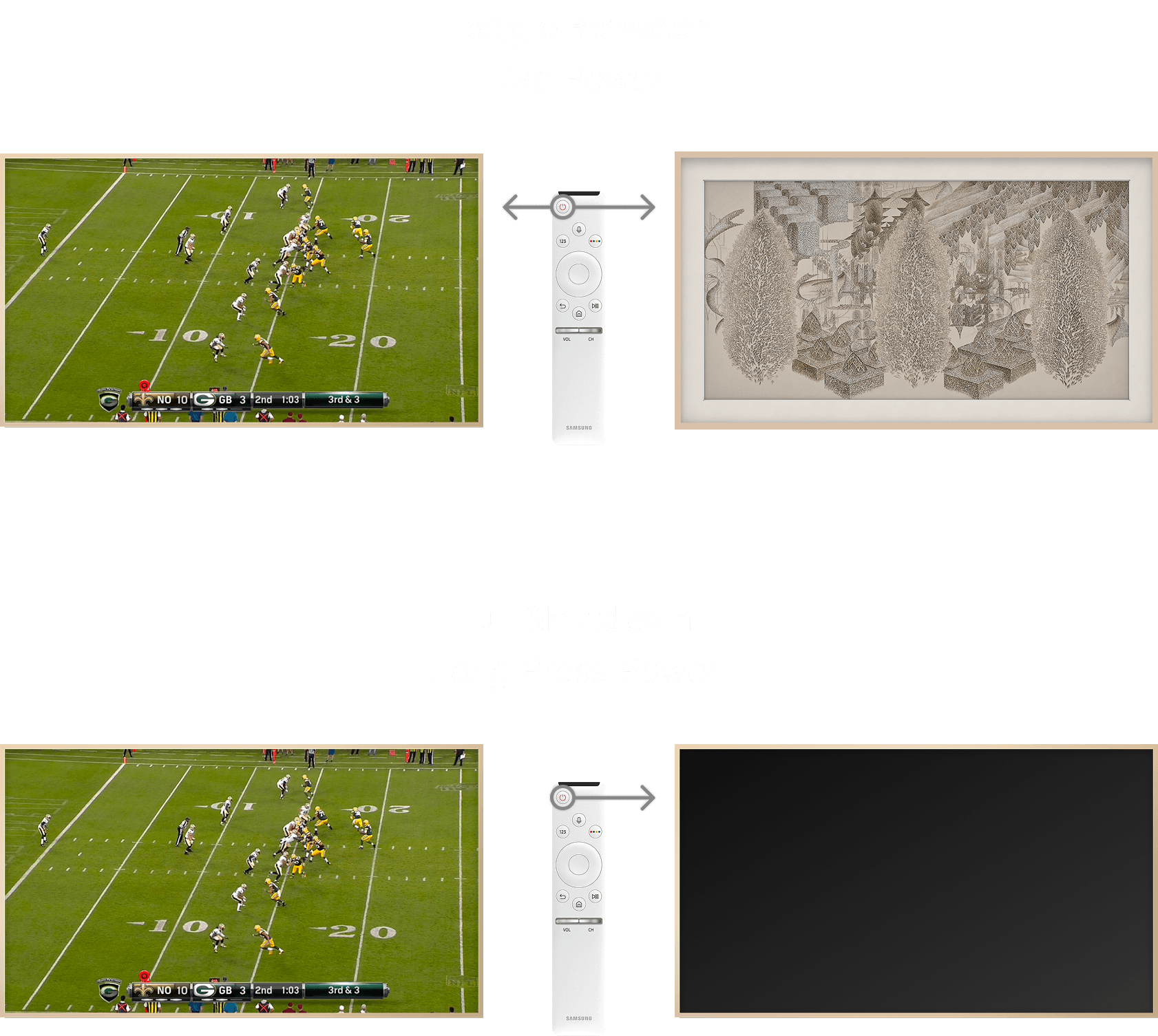
The Frame was designed to fluidly shift between entertainment and environment. TV Mode prioritizes content and control, while Art Mode removes visual noise entirely, transforming the screen into a curated display. The remote acts as the bridge between these states, allowing users to intentionally move from watching to displaying, without ever breaking the calm of the space.
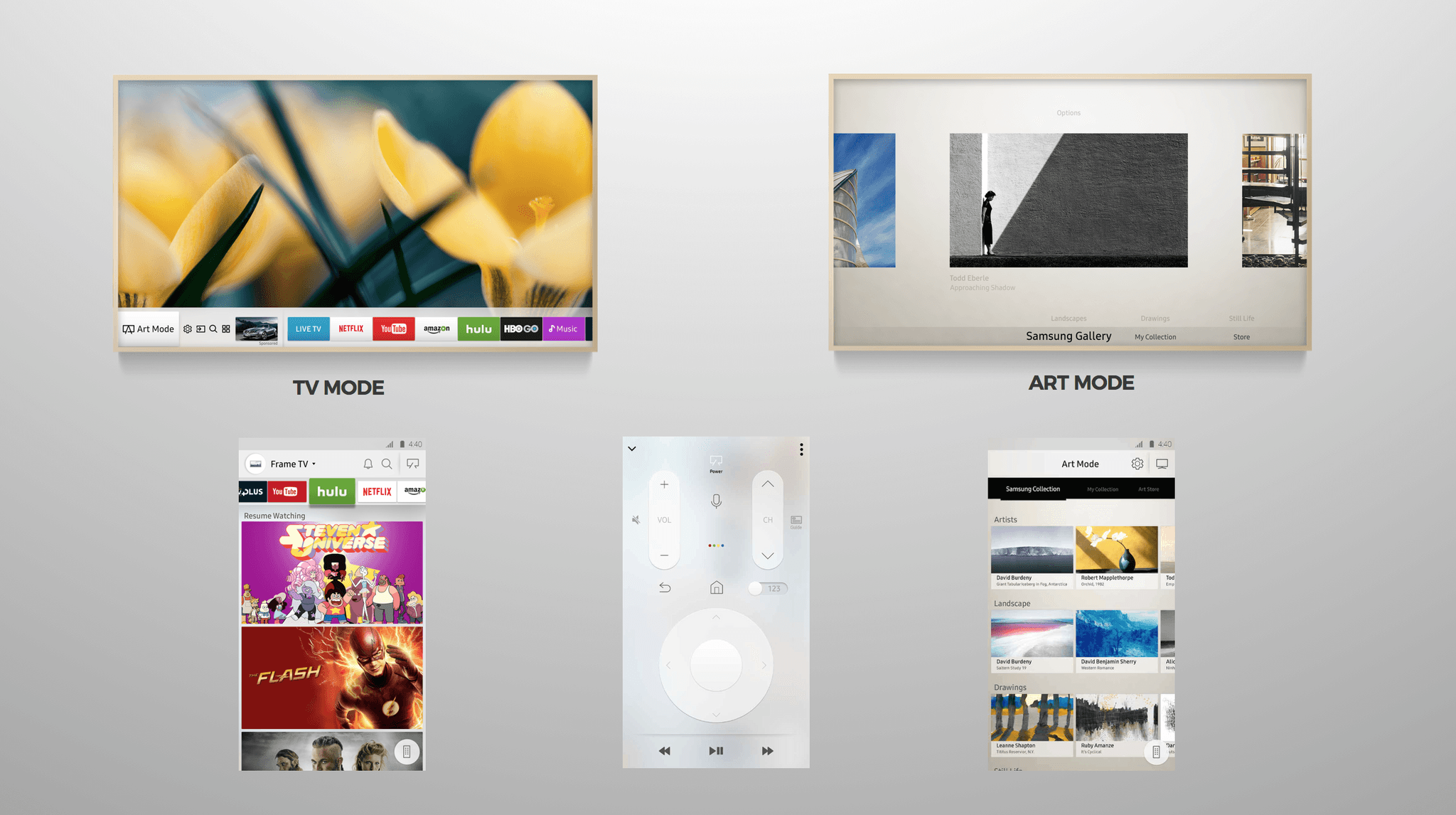
Image of people at a desk with their computers

Inspiration:
Museum Browsing

Inspired by the quiet magic of wandering a museum, the experience aims to bring that same sense of discovery into the home. Browsing feels less like shopping and more like a curated gallery stroll unhurried, intentional, and designed to help people find art that resonates with their space.

Research:
Gallery Walks

I spent time visiting museums around San Francisco to study how great art browsing actually feels in the real world. I paid close attention to the pacing of discovery, the calm of the space, the way curators guide attention without overwhelming, and how small details, lighting, spacing, labels, and moment-to-moment transitions, shape a sense of quiet confidence. Those observations became touch points for designing an at-home art experience that preserves the same feeling of intentional, gallery-like exploration.
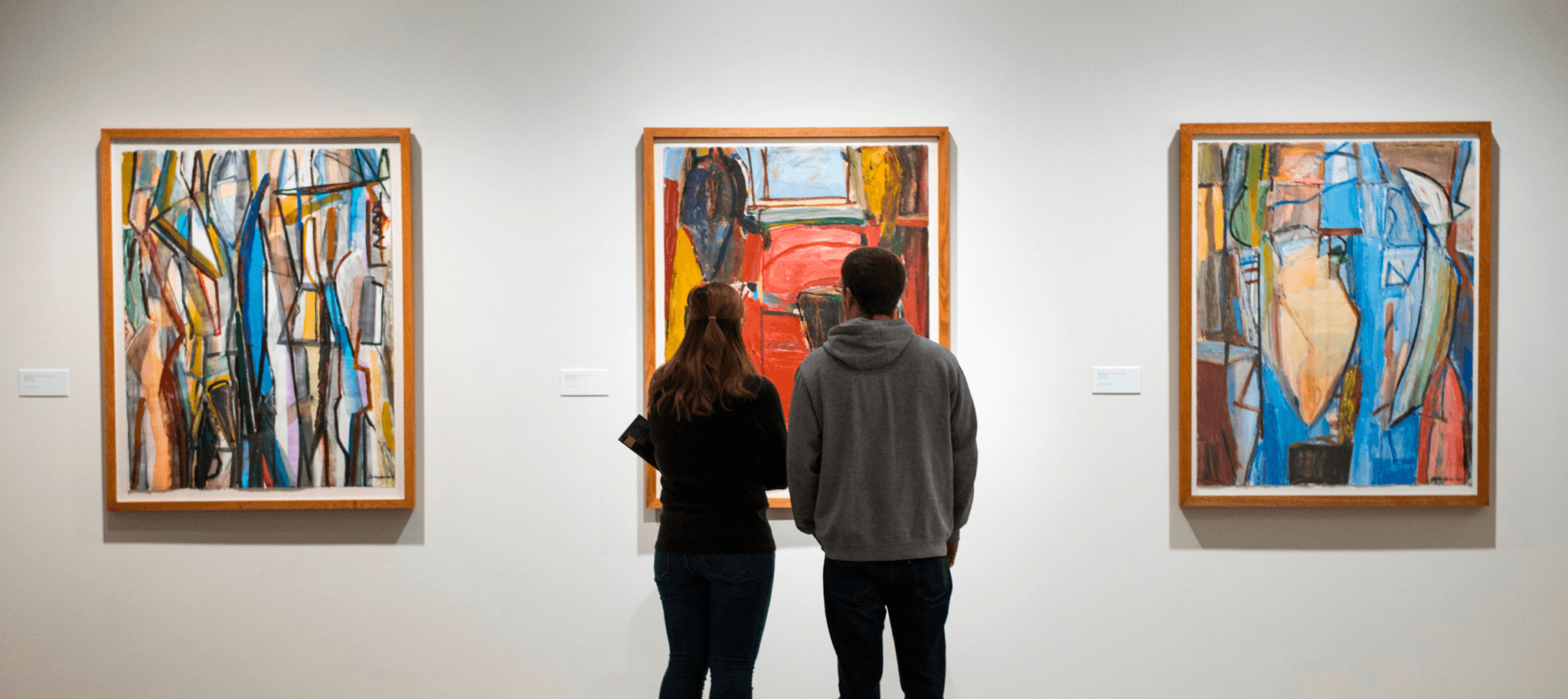
Image of people at a desk with their computers

Design Principals

Calm Over Control

Reduce visual noise and avoid drawing attention to the interface itself.


Intentional Discovery

Let features reveal themselves through interaction, not instruction.


Gallery, Not UI

Borrow spatial and behavioral cues from real-world galleries rather than traditional TV menus.


Presence Without Dominance

Allow the screen to exist in the room without demanding attention.

Early Ideation

Early exploration focused on speed, range, and physicality. Interaction models and visual concepts were sketched by hand to quickly test proportions, focus states, and transitions between TV Mode and Art Mode. Working on paper made it easier to reason about distance-based interaction, directional navigation, and how subtle framing, depth, and hierarchy could shift the screen from an active device into a calm, ambient object.
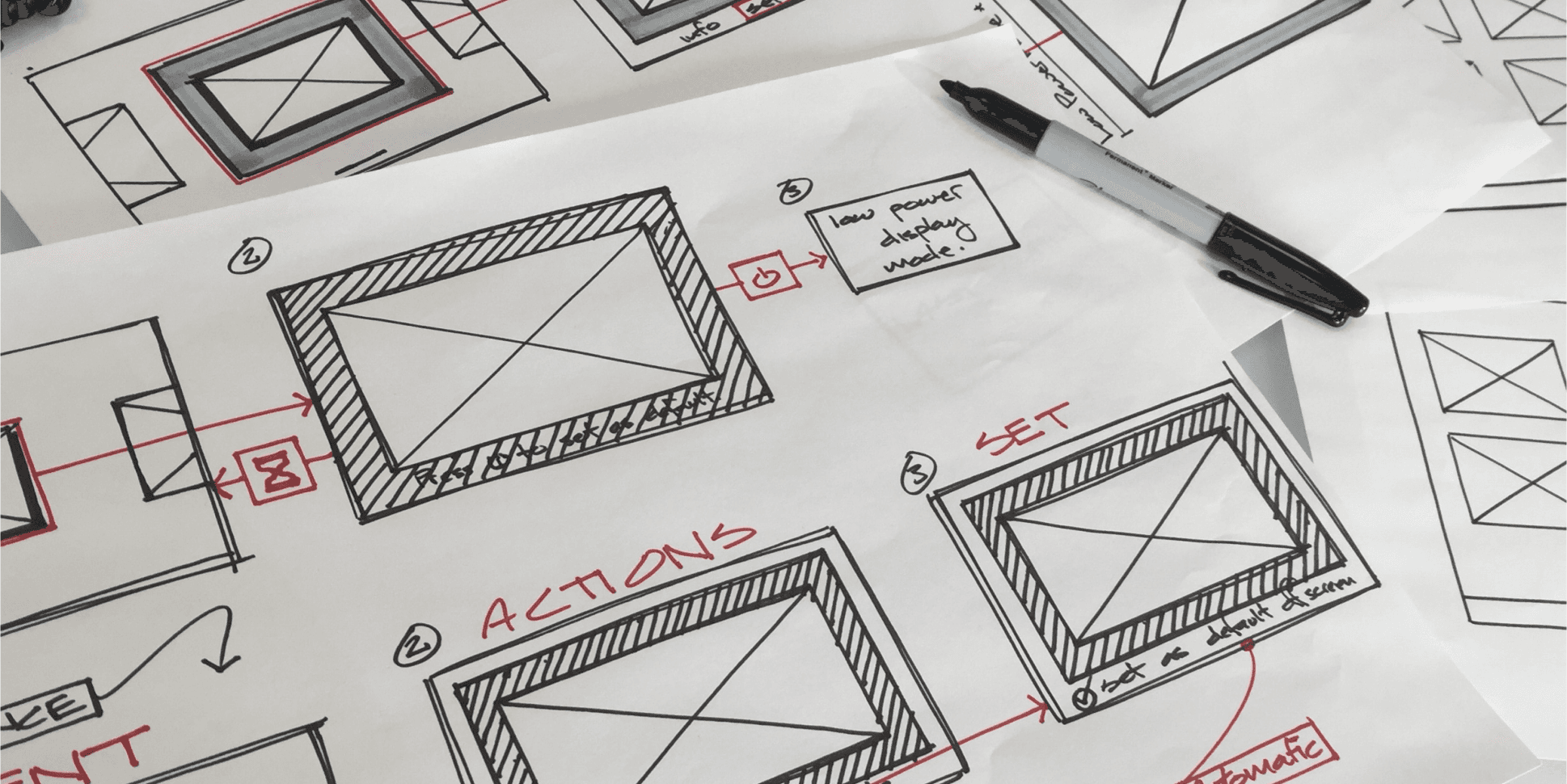
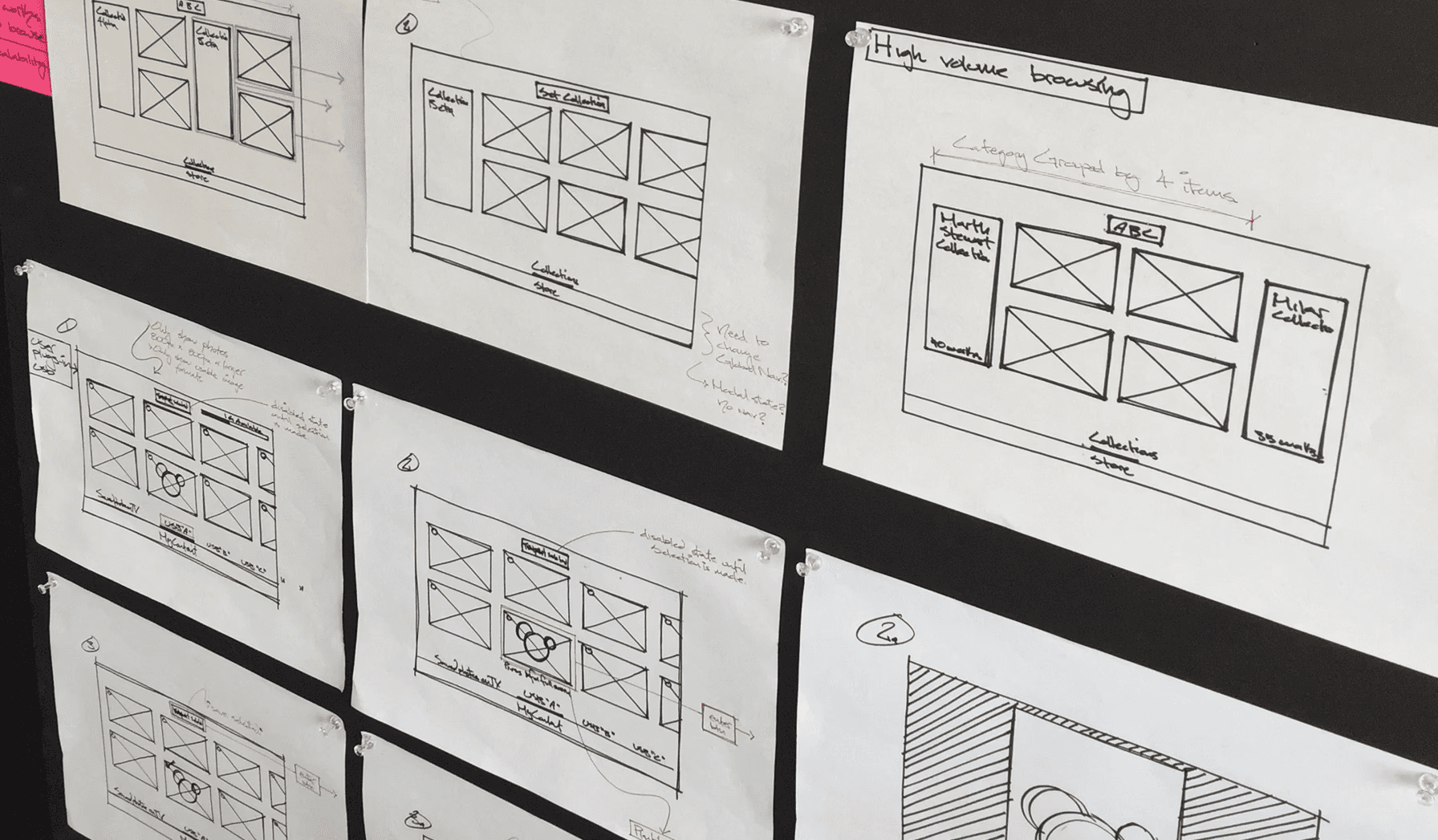
Image of people at a desk with their computers

Visual Design:
Using Shadows to Set Focus

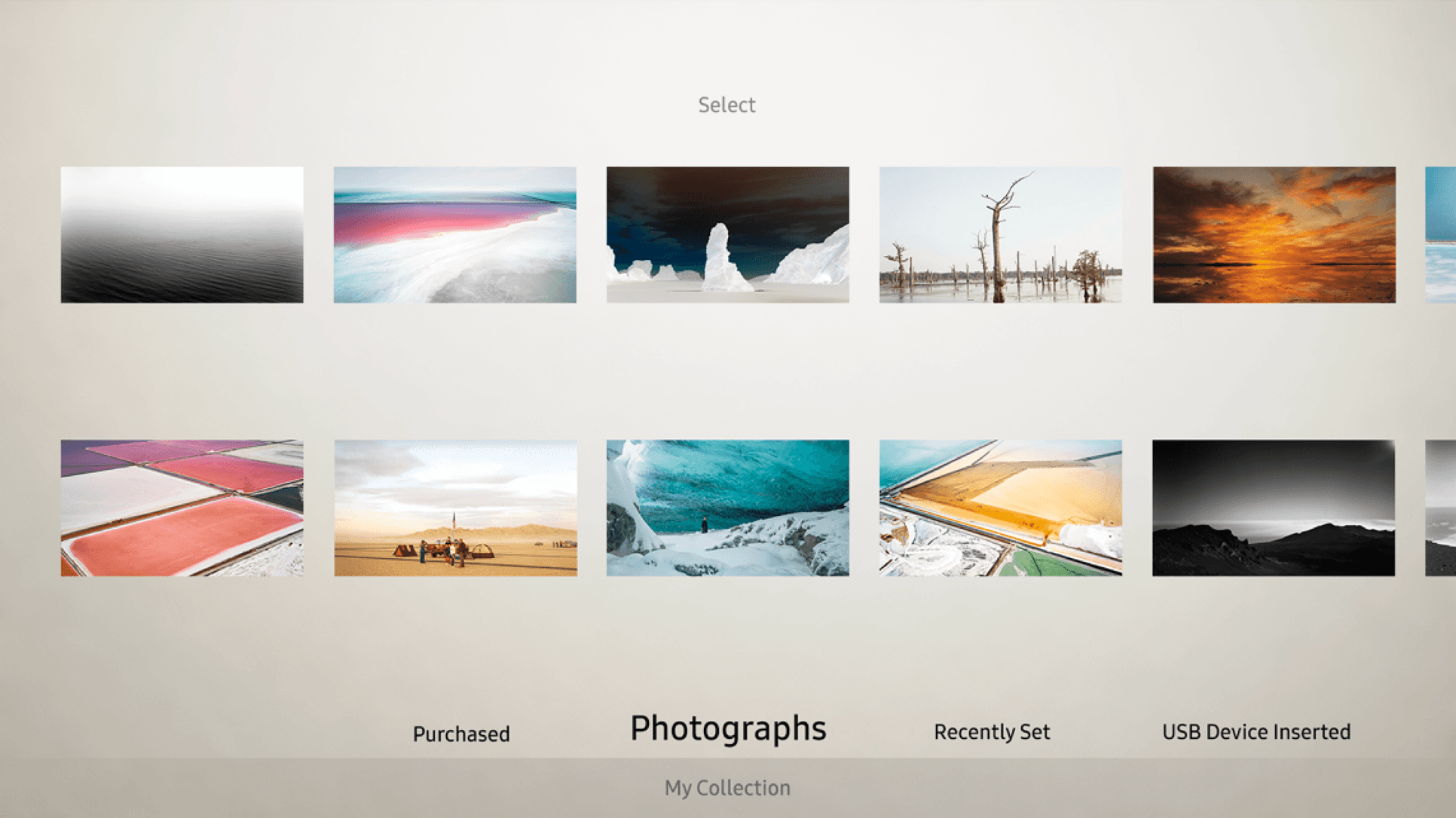
Insights from the Gallery Walks directly informed how focus was designed in The Frame OS. Museum lighting naturally draws attention without feeling “UI-heavy,” so subtle elevation and drop shadows were used to recreate that effect on-screen, quietly highlighting the selected artwork while preserving a calm, gallery-like aesthetic.
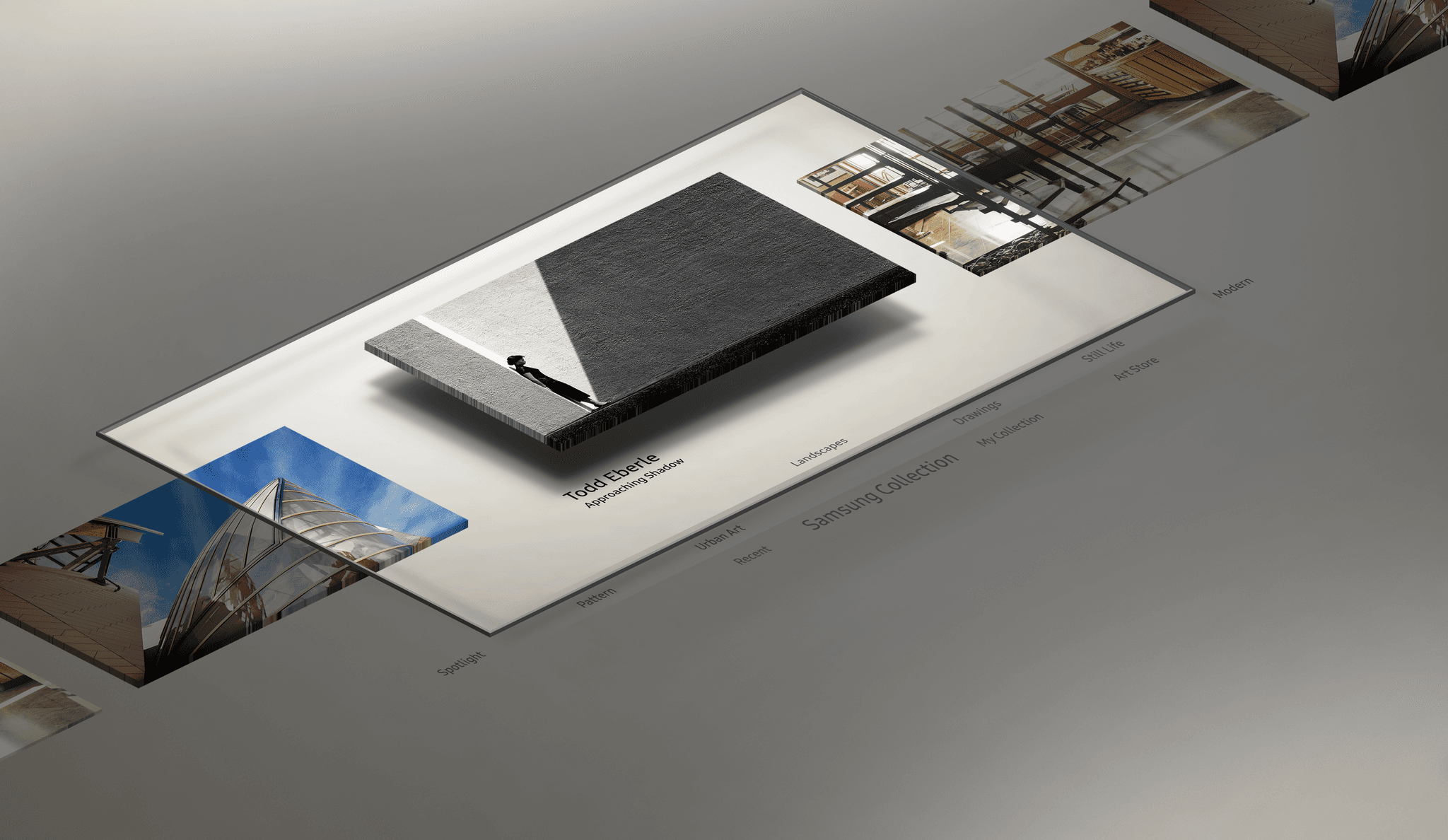
Image of people at a desk with their computers

Focus positions

Frame OS uses progressive disclosure to keep the on-screen UI as minimal as possible. When navigating the system, only UI elements relevant to the choice that the user is currently making are shown.
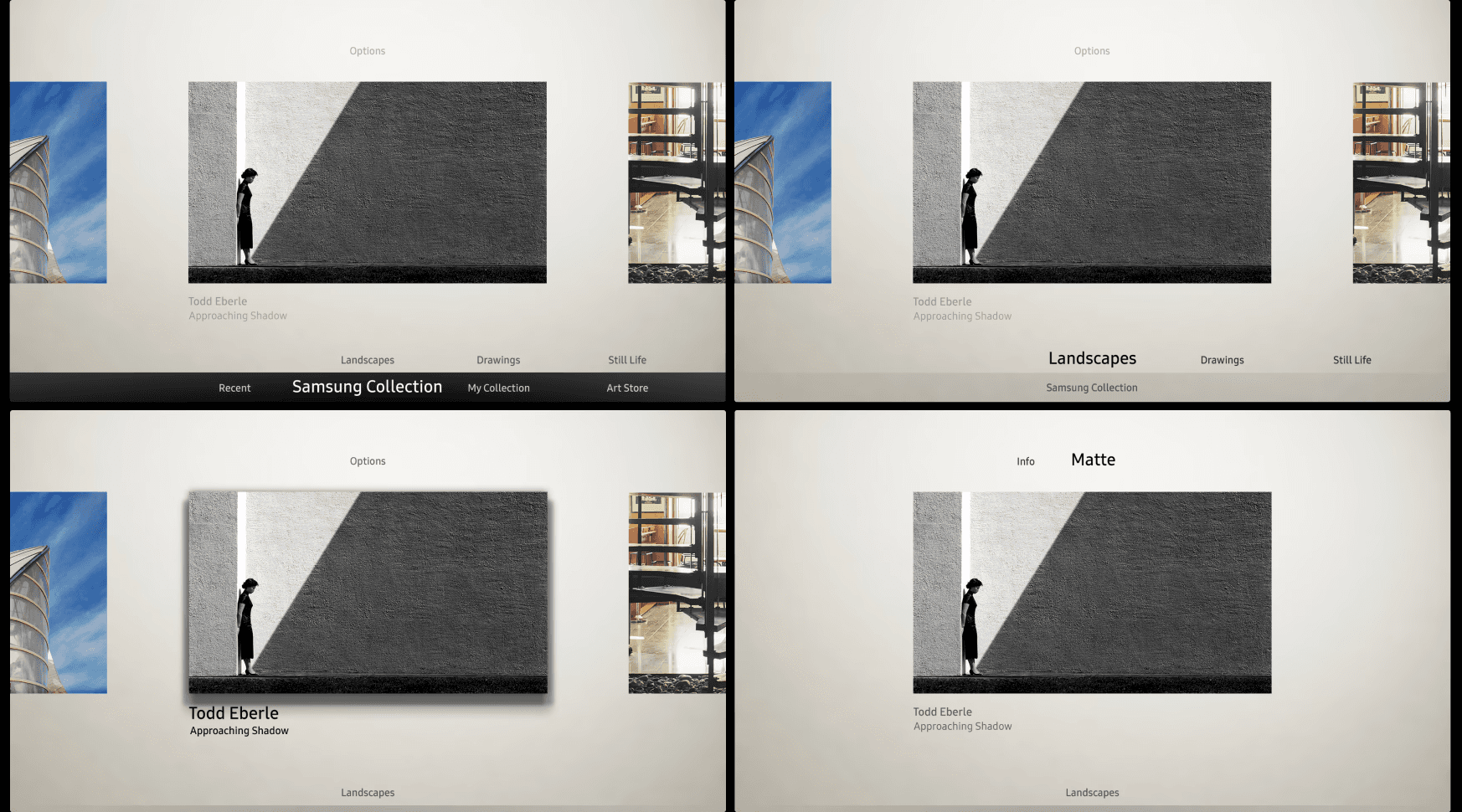
Image of people at a desk with their computers

Menu Awareness Through Motion

To preserve a calm, gallery-like aesthetic, the bottom menu remains hidden during art browsing. In testing, however, users transitioning from Art Display into browsing often missed that the menu existed below the frame. To solve this, a brief reveal-and-collapse animation was introduced when entering selection mode, momentarily surfacing the menu before returning it out of view. This motion quietly teaches discoverability without permanently adding visual noise.

Calm by Default

The color and matte-style interaction was designed as a direct extension of the gallery-like visual language used throughout Frame OS. Every control was reduced to its simplest form, neutral tones, soft contrast, and restrained motion, to ensure the interface stayed visually quiet and never competed with the artwork itself.


This approach required carefully balancing minimalism with clarity. While the UI recedes into the background, interaction affordances remain unmistakable through subtle elevation, spacing, and focus states. The result is a control surface that feels calm and unobtrusive, yet still precise and confident to navigate, preserving the serenity of Art Mode without sacrificing usability.
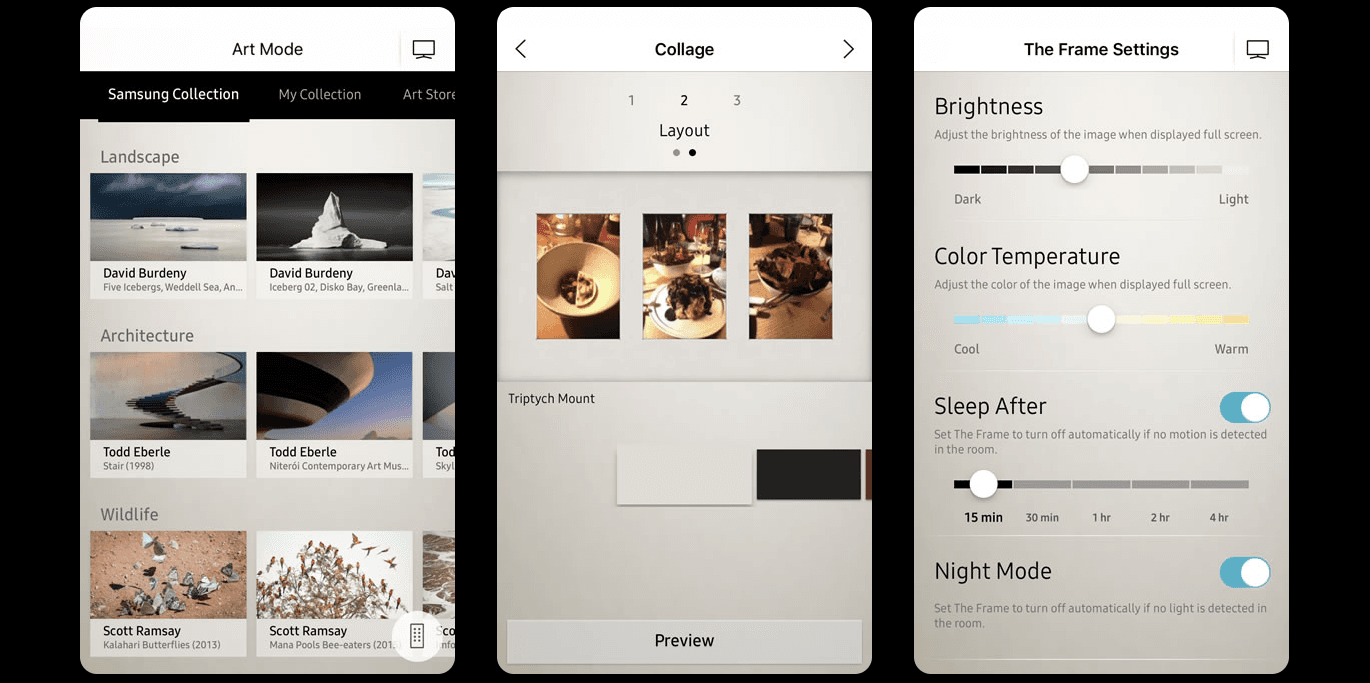
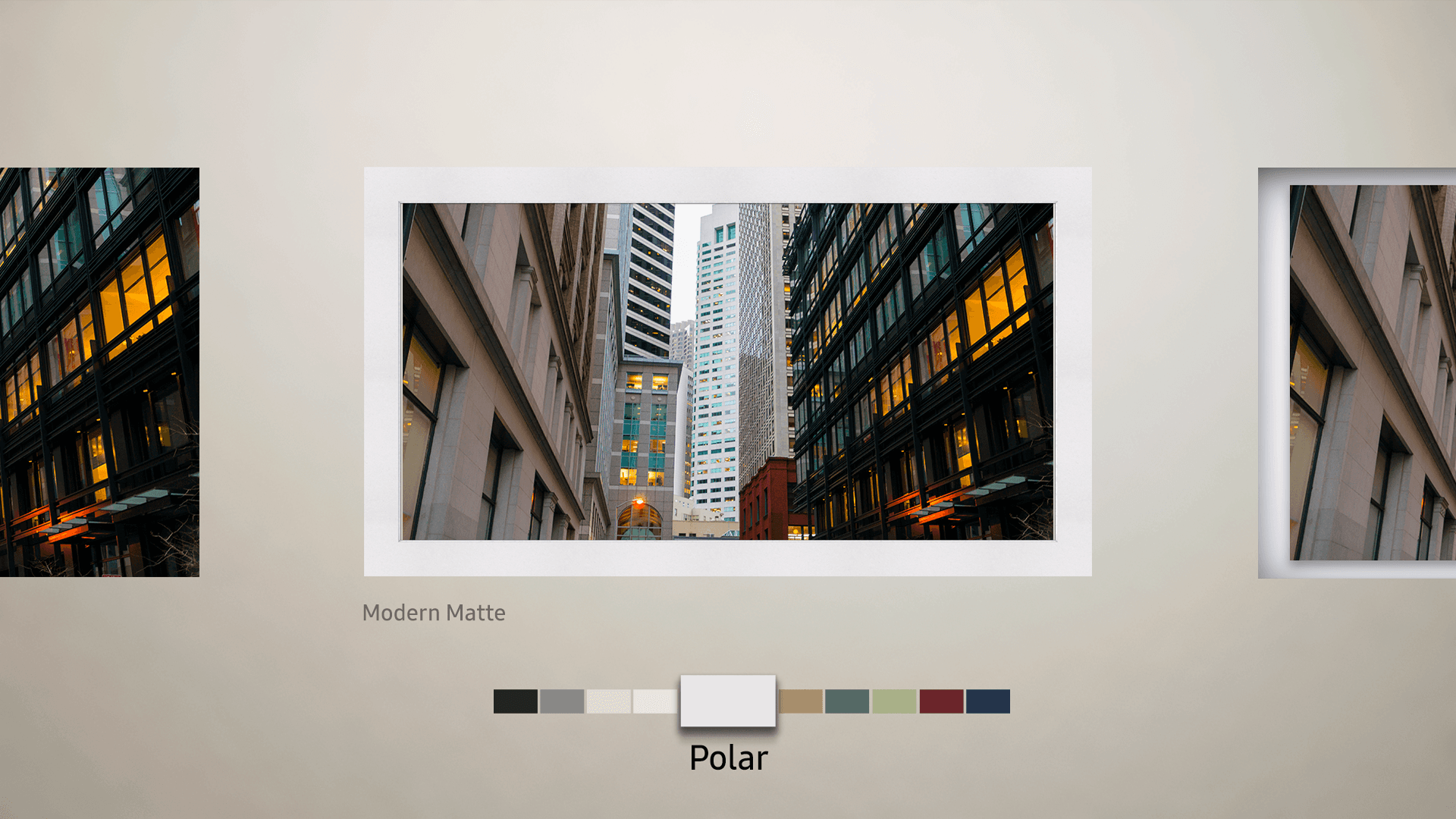
Image of people at a desk with their computers

Menu Awareness Through Motion

To preserve a calm, gallery-like aesthetic, the bottom menu remains hidden during art browsing. In testing, however, users transitioning from Art Display into browsing often missed that the menu existed below the frame. To solve this, a brief reveal-and-collapse animation was introduced when entering selection mode, momentarily surfacing the menu before returning it out of view. This motion quietly teaches discoverability without permanently adding visual noise.

Image of people at a desk with their computers

Paced Motion Design

Paced Motion Design

The motion design of The Frame is intentionally slower than most TV browsing experiences. This is to emphasize the measured, gallery-like viewing aesthetic, and because of technical limitations with the size of the assets on device.

Integrating Art Mode Without Diluting It

Art Mode needed to live inside the main TV OS (internally called Eden) without feeling like just another feature of it. The challenge was to create an entry point that was easy to discover and intuitive to access, while still preserving a clear psychological and experiential boundary between “TV Mode” and “Art Mode.” The solution was to integrate Art Mode at the system level, rather than embedding it within existing content or navigation patterns. By giving Art Mode its own distinct presence, visually, spatially, and behaviorally, we allowed users to move fluidly between TV Mode and Art Mode without collapsing the two experiences. This separation was critical to maintaining the core value proposition of The Frame: Art Mode isn’t a TV feature, it’s an alternative state of the product entirely.
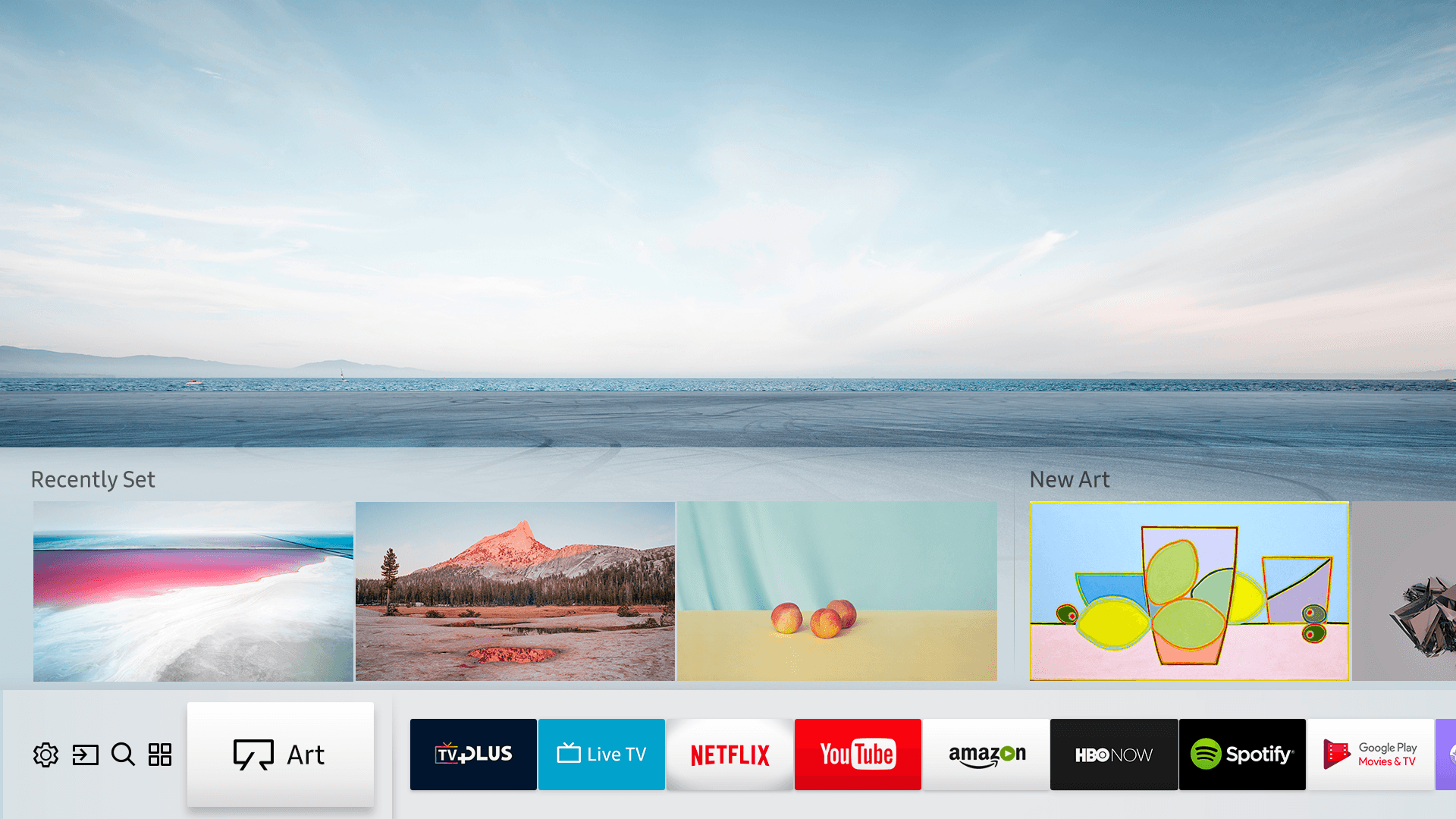
Image of people at a desk with their computers

Engineering Communcation

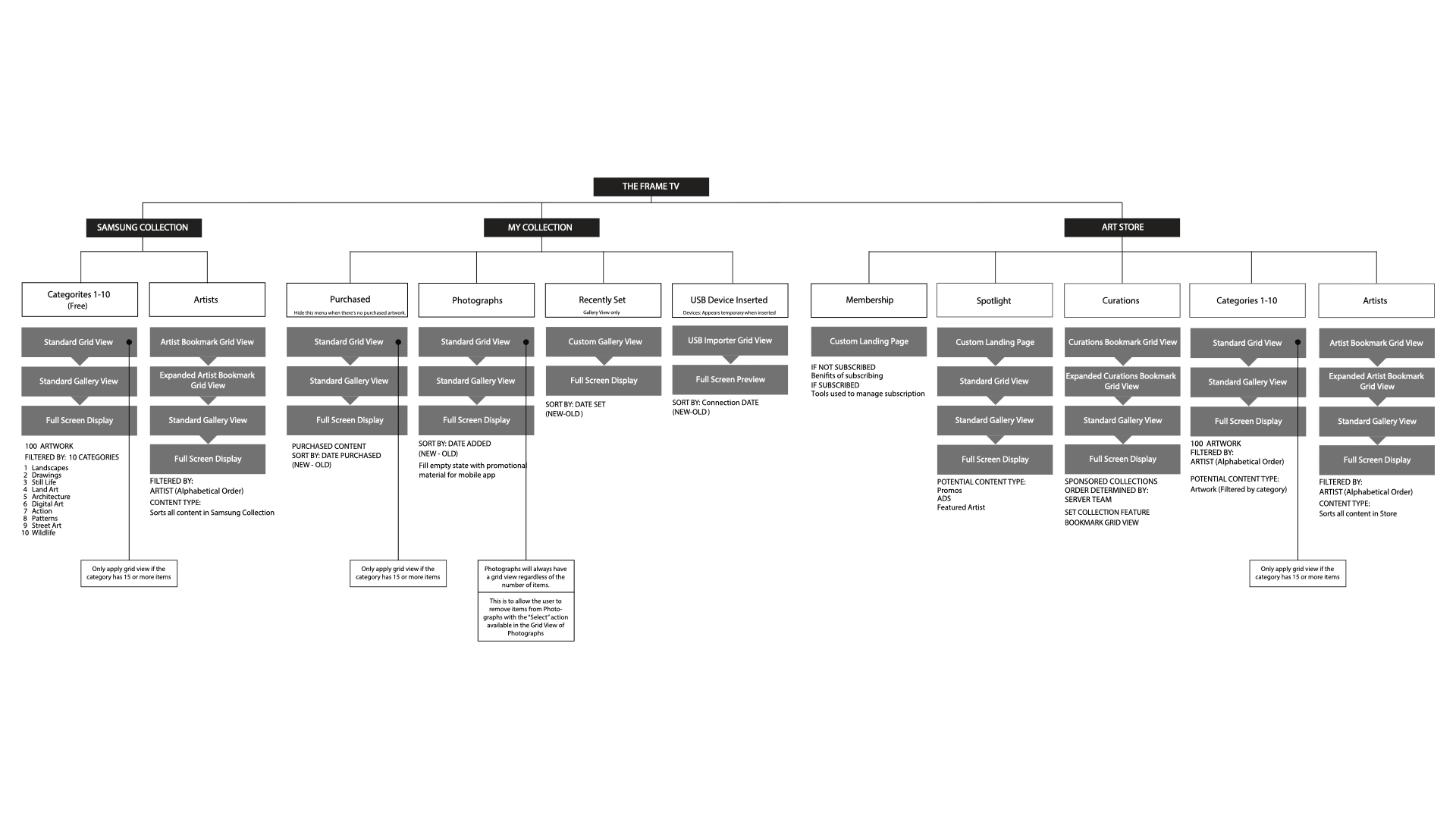
To align design and engineering, we created simplified system diagrams that mapped how users moved between browsing states, content, and playback. These diagrams made complex interactions legible at a glance, helping teams reason about state changes, dependencies, and edge cases before implementation. By visualizing the full system rather than individual screens, we were able to design high-density browsing layouts that felt intentional, predictable, and calm in use.
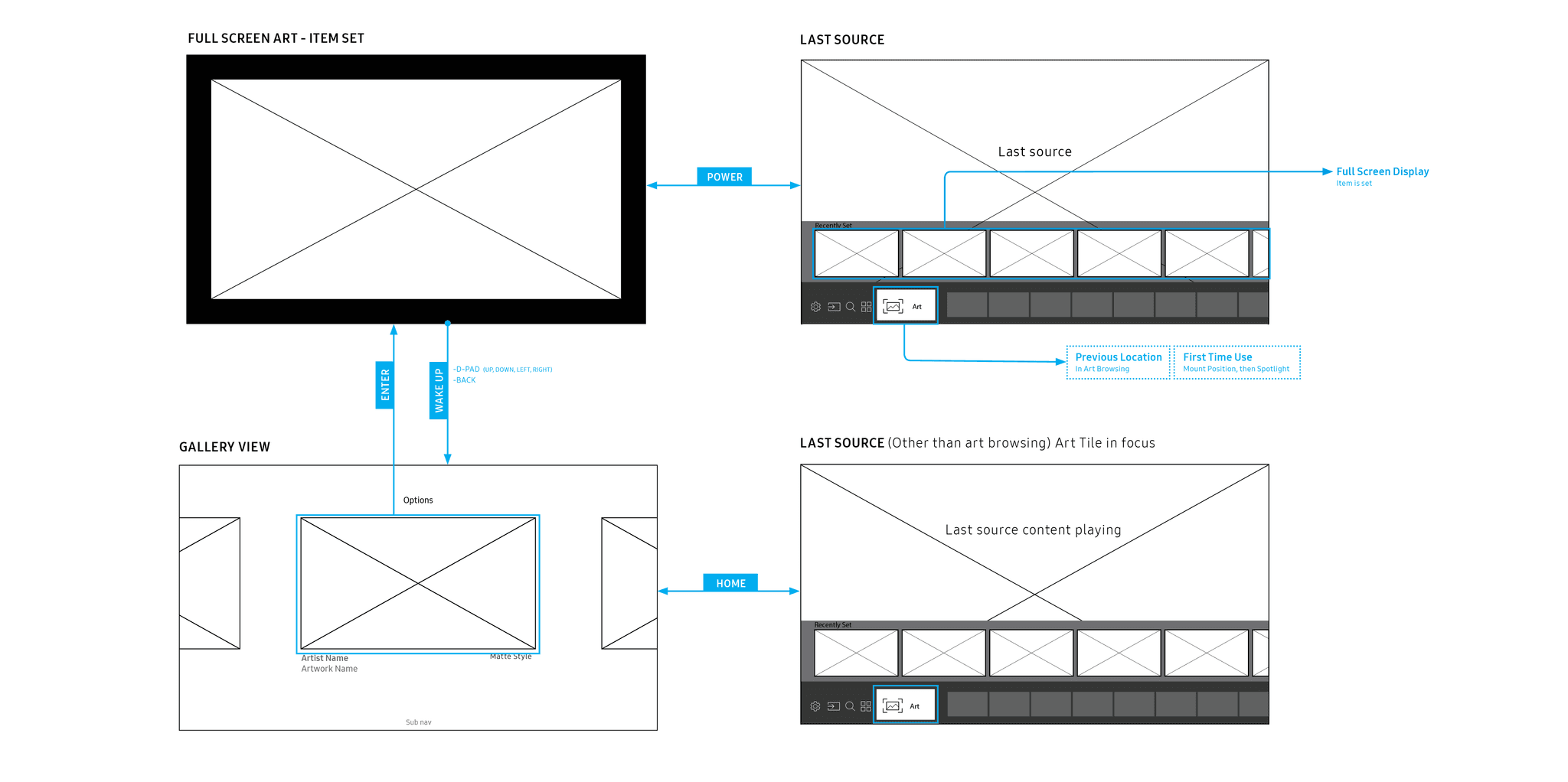
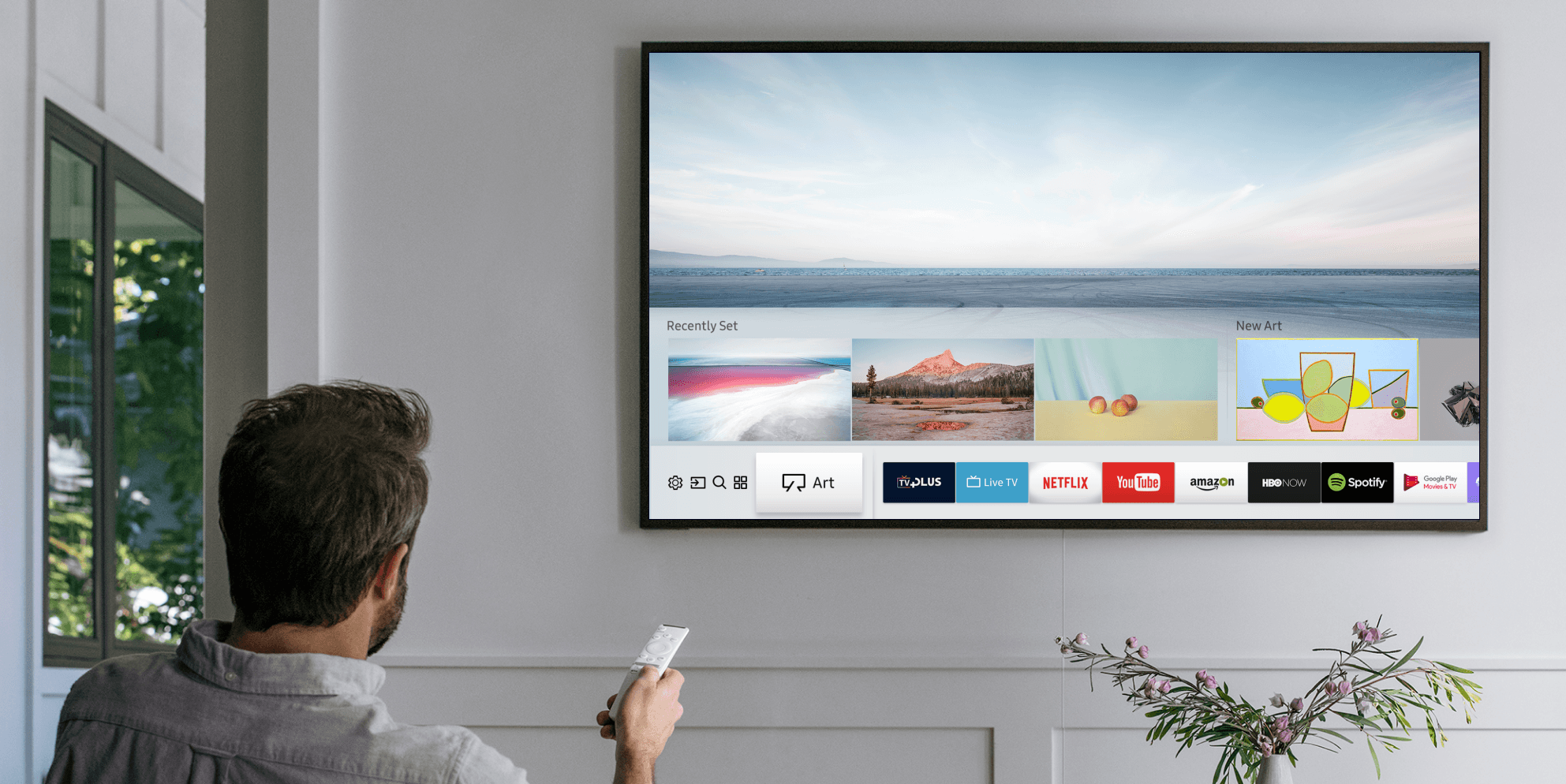
Image of people at a desk with their computers

Architecture

This diagram maps how content, states, and navigation connect across the system, helping align design and engineering on a shared mental model. By clarifying structure early, we ensured the experience stayed intuitive even as complexity increased.

Image of people at a desk with their computers

Color wash

The motion design of The Frame is intentionally slower than most TV browsing experiences. This is to emphasize the measured, gallery-like viewing aesthetic, and because of technical limitations with the size of the assets on device.

Color Calibration

To account for situations where ambient sensors picked up reflected wall color, we introduced a simple manual color adjustment. The control was intentionally minimal, allowing users to fine-tune tone without disrupting the calm, gallery-like feel of Art Mode.

Architecture

This diagram maps how content, states, and navigation connect across the system, helping align design and engineering on a shared mental model. By clarifying structure early, we ensured the experience stayed intuitive even as complexity increased.

Color wash

The motion design of The Frame is intentionally slower than most TV browsing experiences. This is to emphasize the measured, gallery-like viewing aesthetic, and because of technical limitations with the size of the assets on device.

Color Calibration

To account for situations where ambient sensors picked up reflected wall color, we introduced a simple manual color adjustment. The control was intentionally minimal, allowing users to fine-tune tone without disrupting the calm, gallery-like feel of Art Mode.

Educating the User:
New Power Button Paradigm

Architecture

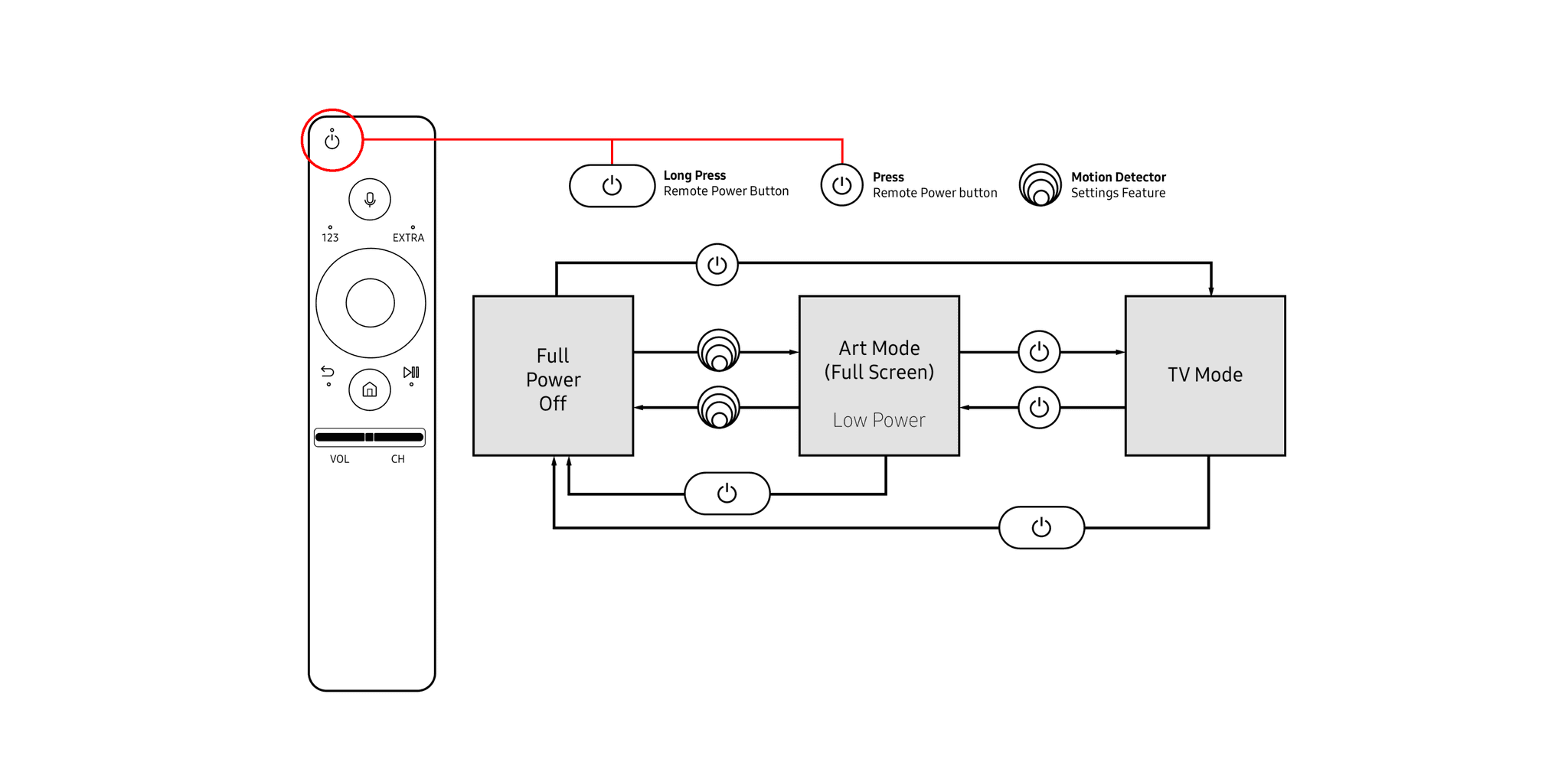
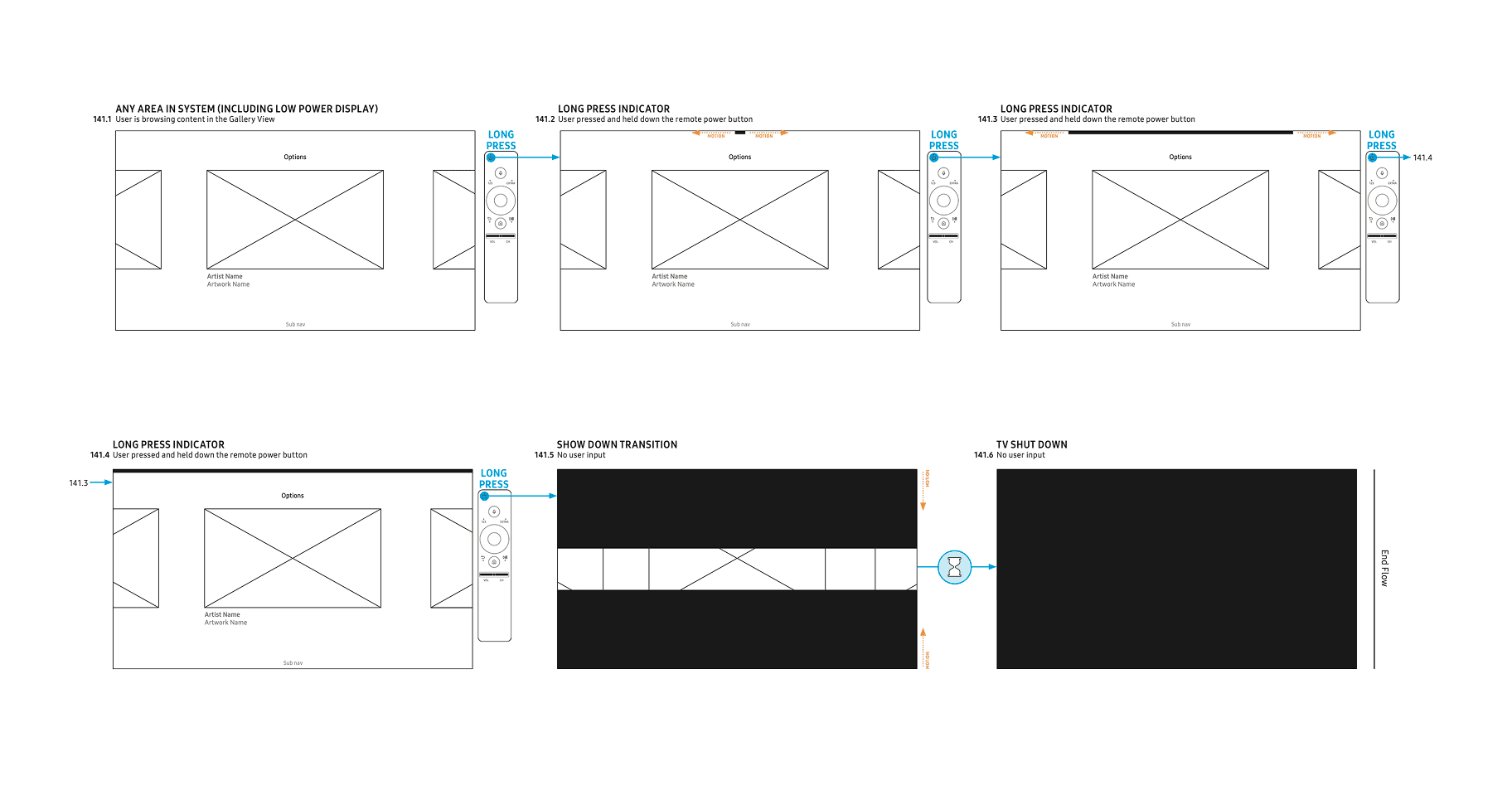
During usability testing, 74% of users struggled to fully power down the TV using the long-press interaction, often unsure how long the button needed to be held. This ambiguity led to hesitation and inconsistent outcomes. To address this, we introduced clearer system feedback that communicates progress and intent, helping users understand when a full power-off action is being triggered without adding visual clutter.

This diagram maps how content, states, and navigation connect across the system, helping align design and engineering on a shared mental model. By clarifying structure early, we ensured the experience stayed intuitive even as complexity increased.

Educating the User:
New Power Button Paradigm

During usability testing, 74% of users struggled to fully power down the TV using the long-press interaction, often unsure how long the button needed to be held. This ambiguity led to hesitation and inconsistent outcomes. To address this, we introduced clearer system feedback that communicates progress and intent, helping users understand when a full power-off action is being triggered without adding visual clutter.

Image of people at a desk with their computers

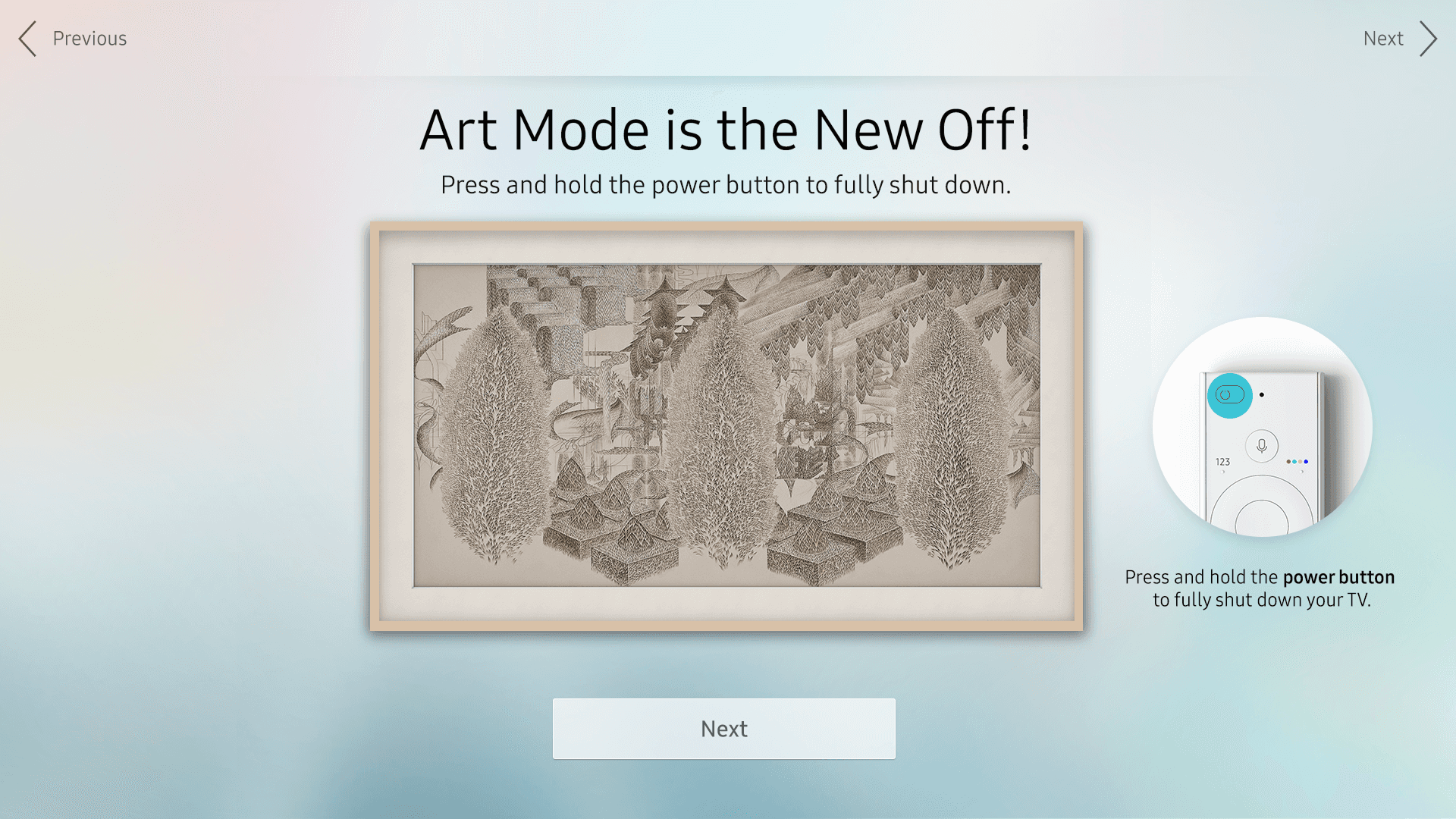
Educational Step
During Setup

To help users understand the long-press interaction for fully shutting down the TV, we added an interactive step during setup that lets them try it out virtually. This hands-on experience communicates timing and expected feedback, ensuring users feel confident performing the action without adding extra visual clutter to the interface.

Image of people at a desk with their computers

Long Press
Contextual Indicator

Educational Step
During Setup

Educational Step
During Setup

To help users understand how long to hold the power button for a full shutdown, we added a contextual indicator that provides real-time feedback during the interaction. This subtle visual cue communicates progress without adding clutter, ensuring users can confidently complete the action while preserving the calm, gallery-like feel of The Frame OS.

To help users understand the long-press interaction for fully shutting down the TV, we added an interactive step during setup that lets them try it out virtually. This hands-on experience communicates timing and expected feedback, ensuring users feel confident performing the action without adding extra visual clutter to the interface.

To help users understand the long-press interaction for fully shutting down the TV, we added an interactive step during setup that lets them try it out virtually. This hands-on experience communicates timing and expected feedback, ensuring users feel confident performing the action without adding extra visual clutter to the interface.

Image of people at a desk with their computers

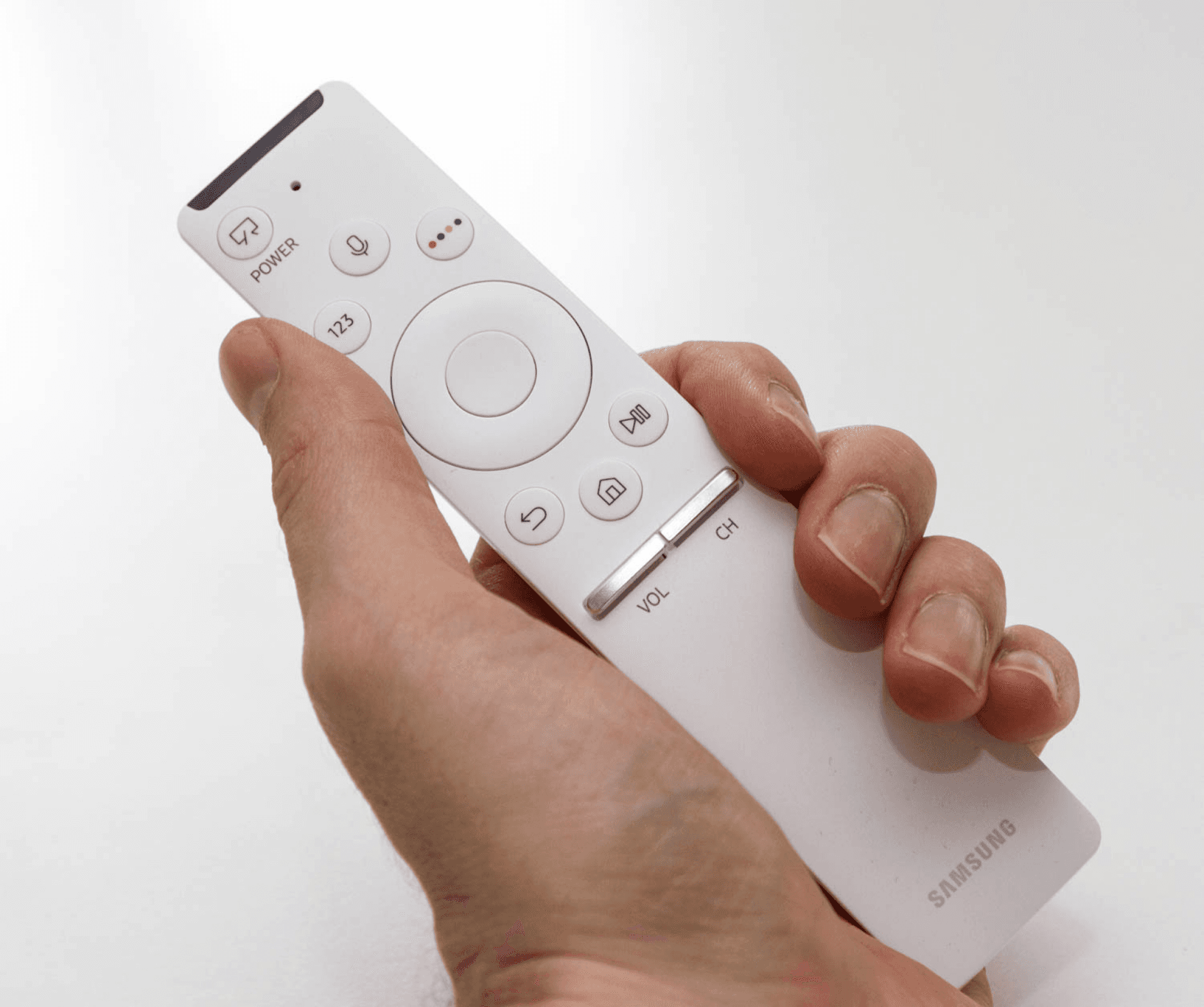
Reframing the Power Button

To reinforce the new interaction model, we replaced the traditional power icon on the remote with an Art Mode symbol. This subtle change helped reframe user expectations, signaling that pressing the button didn’t simply turn the TV off, but shifted it into a different state. By rethinking a familiar control, we used the hardware itself to teach the new mental model of toggling between TV Mode and Art Mode.
Long Press
Contextual Indicator

To help users understand how long to hold the power button for a full shutdown, we added a contextual indicator that provides real-time feedback during the interaction. This subtle visual cue communicates progress without adding clutter, ensuring users can confidently complete the action while preserving the calm, gallery-like feel of The Frame OS.

Long Press
Contextual Indicator

To help users understand how long to hold the power button for a full shutdown, we added a contextual indicator that provides real-time feedback during the interaction. This subtle visual cue communicates progress without adding clutter, ensuring users can confidently complete the action while preserving the calm, gallery-like feel of The Frame OS.

Image of people at a desk with their computers

Impact

The Frame TV went on to become one of Samsung’s best-selling models, redefining what a television could be in the home. By blending cutting-edge technology with a calm, gallery-like experience, it set a new standard for lifestyle-focused electronics and demonstrated how thoughtful design can create both commercial success and lasting user delight.
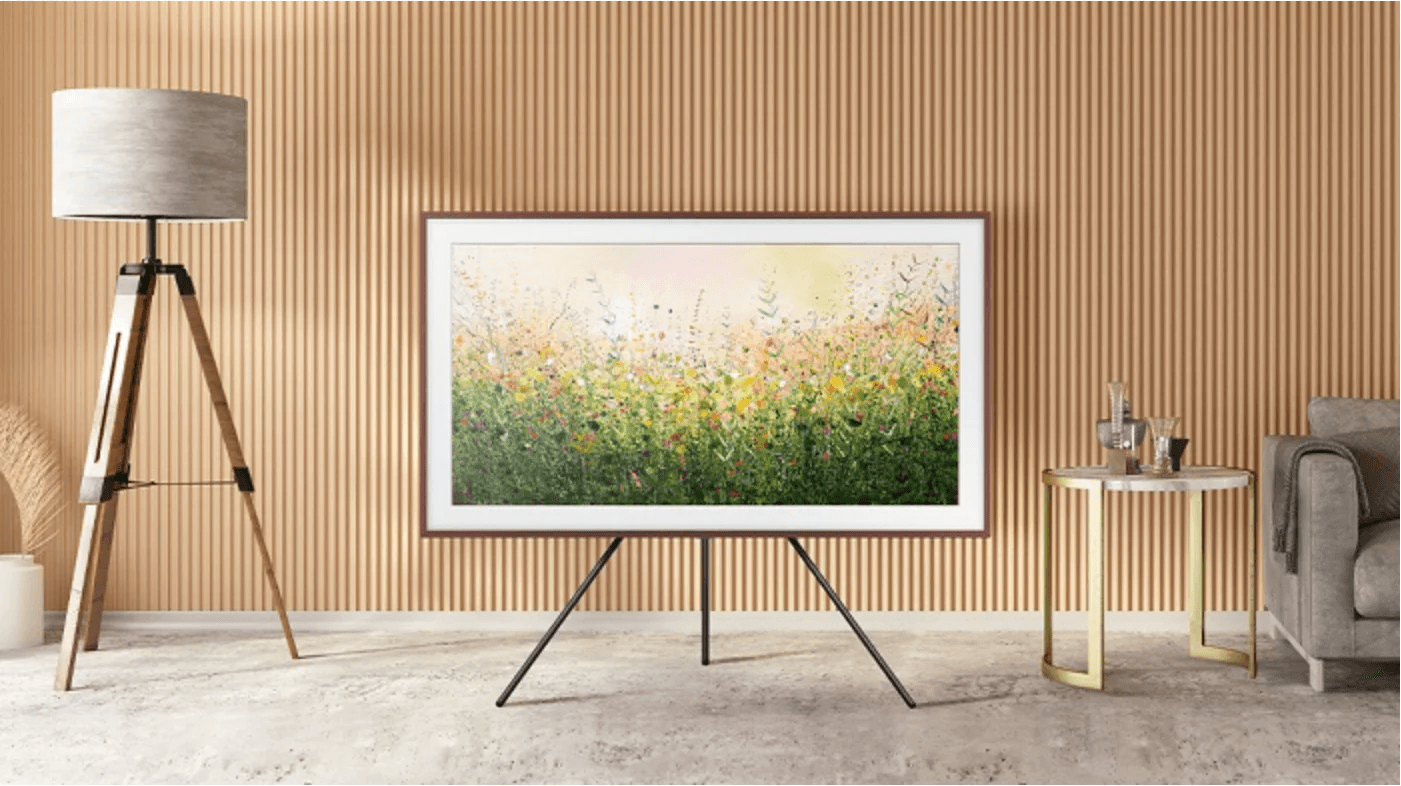
Image of people at a desk with their computers

patfiori.design

© 2026